

The school workspace
Visitors at your school
The daily visitor log, the overdue signal, the printable record, and the ban list — including the four visitor actions the system will not save without your passkey.
Visitors are signed in and out at the gate by an officer. Your side of it is the record: who is on the premises who is not a learner or a member of staff, who should have left and has not, and who must not be let in at all.
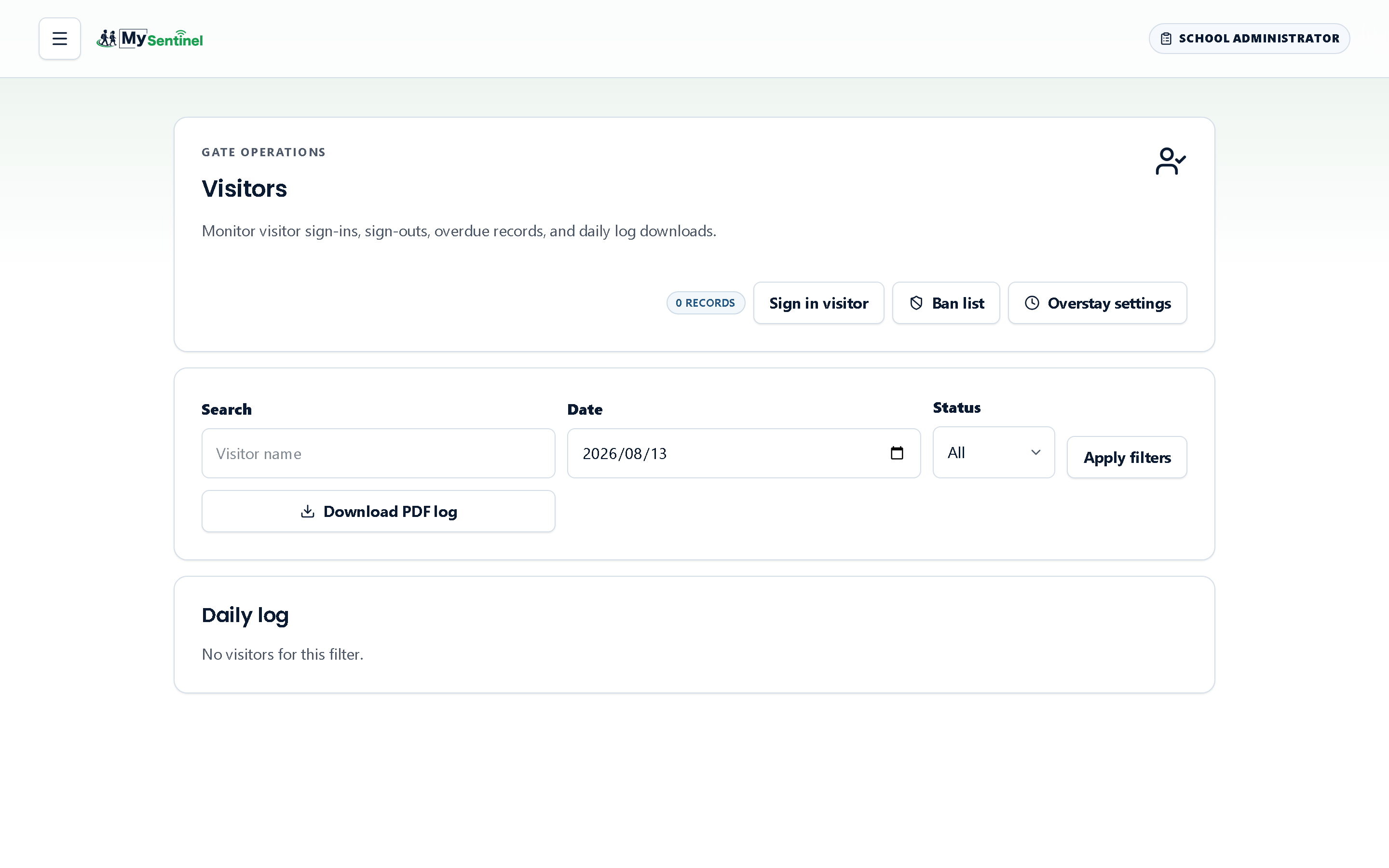
The daily log
The screen is headed Visitors and describes itself as monitoring visitor sign-ins, sign-outs, overdue records and daily log downloads. A chip at the top gives the number of records in view.
Three filters: a name search, a date, and a status of All, Active, Signed out or Expired. Each row carries the visitor’s name, when they signed in, when they signed out or the fact that they are still on site, why they came, and who they came to see — falling back to reception where nobody particular was named.
Two chips can appear. The status chip is neutral or green depending on where the visit has got to. Beside it, a red overdue chip means this visitor has been on the premises longer than your school allows. Red is used sparingly across the whole product and reserved for emergencies; an adult unaccounted for on a school site is one of the few places it is earned.
Opening a row gives you the same record in full, refreshed from the source rather than reused from the list, including the phone number and vehicle registration where your school records them.
Download PDF log produces the day’s visitor book as a file. This is the document a fire officer or an inspector asks for, and it is worth knowing it exists before somebody asks.
What a visitor has to give you
Which details an officer must capture is your decision, made in school settings and described in that chapter: a phone number, a reason for the visit, the last digits of an identity document, a vehicle registration. Reasons offered at the gate are a fixed list — a parent or guardian visit, a contractor, a delivery, a prospective family, maintenance, or other.
Ask for the least you actually need. Every field you switch on is personal information your school is then responsible for.
Overstay alerts
The Overstay settings button opens the rule behind the overdue chip. You can turn overstay alerts on, set the number of minutes after which a visit counts as too long, and set a multiple of that threshold at which the alert escalates a second time.
Opening that dialogue never asks for anything. Saving it does: the system stops and asks you to confirm with your passkey — a fingerprint, a face or a device PIN — before the new rule takes effect. Nothing changes if you cancel.
The ban list
Ban list is the register of people refused entry at the gate. When one of them tries to sign in, the officer’s screen shows Entry blocked and tells them to call an administrator; nobody at the gate can wave that away on their own authority.
The screen states its own privacy rule plainly: the full identity number is never stored, only the name and a one-way hash of the last four digits. That is enough to match a person presenting a document, and not enough to be a copy of it. Adding somebody takes a full name, an optional last four digits, and a reason. Removing them takes a reason too.
Both actions on this screen change who may walk onto a school site, and both are held until you confirm with your passkey — Add to ban list, and Remove from list. Removal is the more consequential direction of the two, which is why it is gated as firmly as the ban itself. Like every passkey-confirmed action in the workspace, each one lands in the school activity log with your name, the reason you gave, and the time.
There is no way for an officer to admit a barred person on their own. The gate screen offers them nothing but a way back to sign-in and an instruction to fetch an administrator, and admitting somebody on the list means an administrator taking them off it — deliberately, with a reason, from this screen.
A related power lives on a learner’s record rather than here: naming the adults who may not collect one particular child. It works the same way and is described in the learners chapter. The distinction is worth holding on to — the ban list is about the premises, and a collection restriction is about one child.
Where the visitor record ends up
Visitors still signed in appear on the Day close checklist under visitors not signed out, so an adult forgotten in a meeting room is caught at the end of the afternoon rather than the following morning. Visitor totals also appear in the monthly stakeholder pack, which is usually where a governing body meets them.