

At the gate
Recorded, and sent
The difference between a scan being recorded and a scan reaching the school — what the pill at the top of the gate is telling you, and what to do when it turns amber.
Recording a scan and sending it to the school are two separate things. The gate is honest about that difference instead of hiding it, and once you know what you are looking at, the pill at the top of the screen tells you everything.
The three states
All scans sent Green. Everything you have recorded has reached the school, and nothing the school sent back is waiting for you. This is the only state that means there is nothing for you to do, and it is deliberately hard to earn.
3 waiting to send. Amber, with the number of scans still on the phone. The children went through — the record exists and it is safe — but it has not reached the office yet. Tap the pill to see the list.
1 scan needs your attention. Amber and filled in, and the one state that asks something of you. The school looked at a scan and would not accept it, so that check-in or check-out is not on the school’s record at all. The learner has already walked past you, which is exactly why the gate will not go back to green until you have opened it and read what happened. Tap the pill.
On a receipt, the waiting state appears as Saved on this phone - not sent yet.
Amber is not an error
This is the single most important thing to understand about the gate.
An amber pill does not mean a scan failed, and it does not mean you should scan the learner again. It means the phone is holding the record until it can hand it over. Scanning again would record the same child twice.
The phone sends automatically the moment it can. You do not have to do anything, and in most cases the pill turns green again on its own before you have noticed it changed.
The waiting list
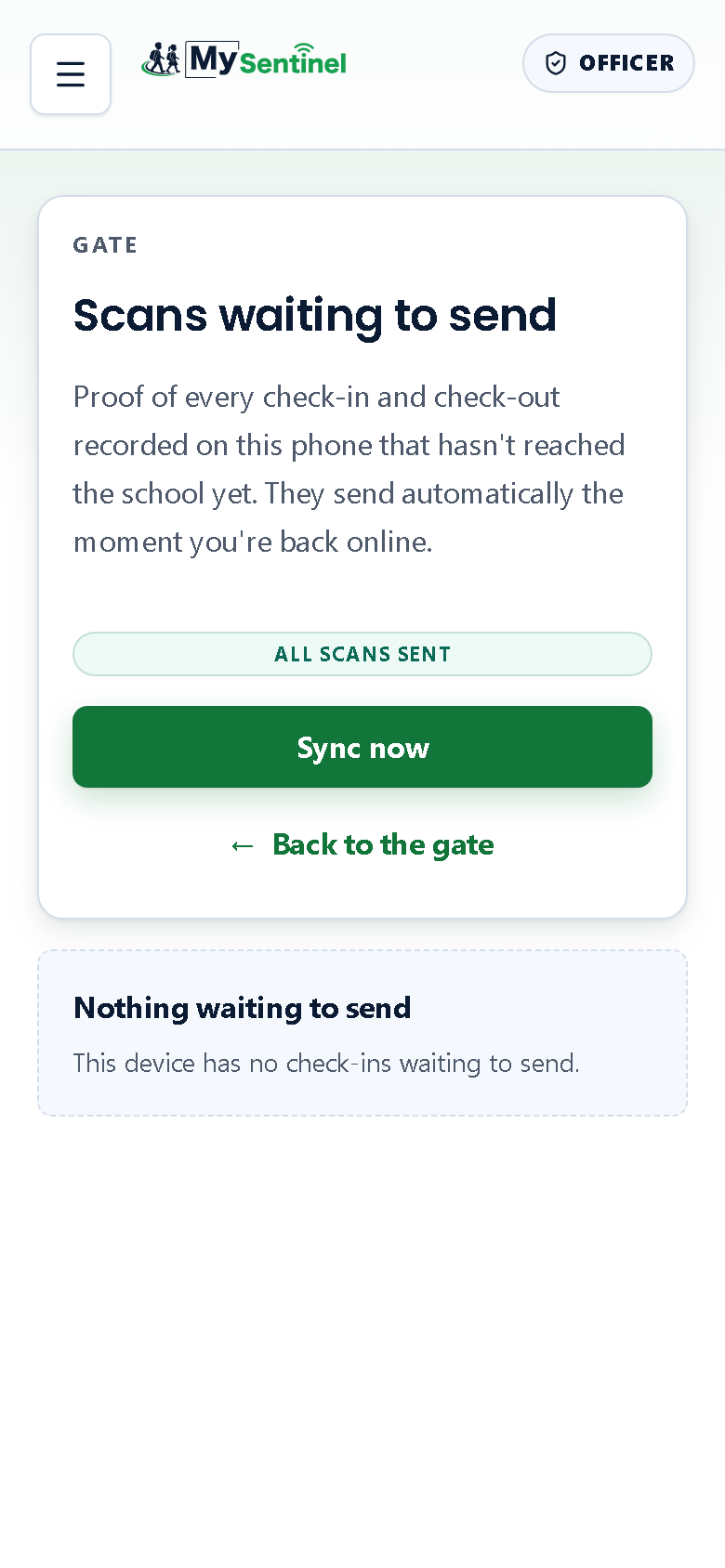
Tapping the pill opens Scans waiting to send, which describes itself plainly:
Proof of every check-in and check-out recorded on this phone that hasn’t reached the school yet. They send automatically the moment you’re back online.
Each row shows what was recorded and when — Recorded on this phone with the time. There is a Sync now button if you want to push them immediately rather than wait, and a way back to the gate.
When there is nothing outstanding the screen says so: Nothing waiting to send. This device has no check-ins waiting to send.
When the school could not accept a scan
A scan can reach the school and still be refused — a learner marked as no longer enrolled, a movement that arrives during a lockdown. Those are shown separately, and the wording is deliberately blunt about what it means for you:
These scans were recorded at the gate but the office could not accept them. The learner already went through — please check with the office.
That is the one case that needs a human. The child is not standing in front of you any more, so the fix is a conversation with the office, not another scan. Once you have read it and tapped Got it, the pill goes back to whatever the queue is actually doing. The waiting list’s own chip at the top of that page says the same thing as the pill did — it will not tell you everything has been sent while one of these is sitting below it.
Refusals do not always arrive while you are still looking at the receipt. The school’s answer can come back several seconds after you have moved on to the next learner, so two things happen when it does. The phone buzzes and makes a short falling tone, so you notice without watching the screen — that sound is on by default and you can silence it in the account menu, under Gate alerts. And the pill at the top of the gate turns amber and counts what is outstanding, and stays that way until you have dealt with it. The gate will not tell you everything is fine over a scan the school has refused.
Why the gate works this way
The gate answers you from the phone rather than asking the school’s computers first. That is what makes a scan instant even when the school’s internet is not, and it is why sending is a separate step at all.
The alternative — waiting for the network on every tap — would mean a queue of children standing still every time the connection dipped. The pill exists so that speed never costs you the truth about what has actually been handed over.